
Contents
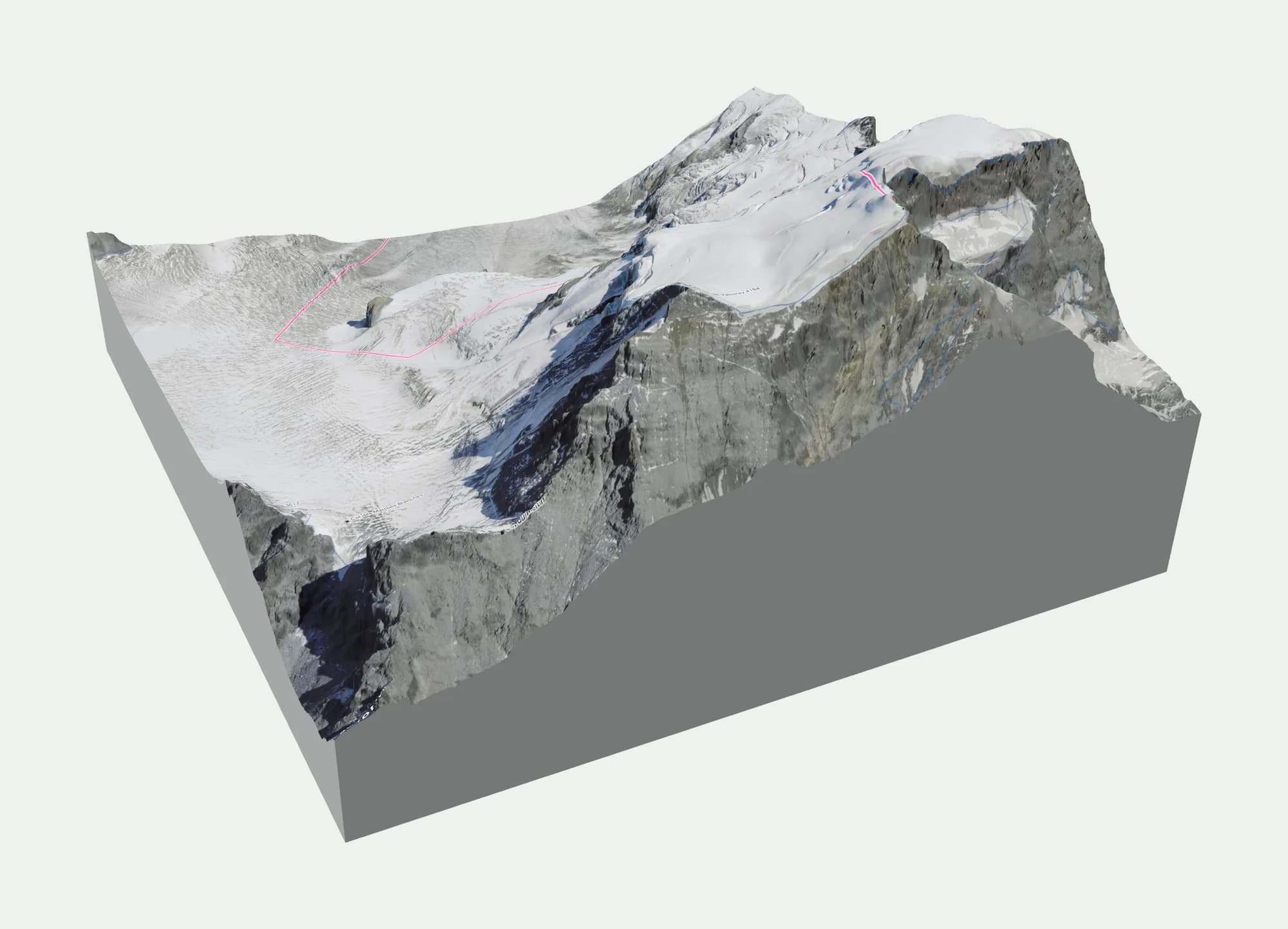
Draw an area of up to 16 × 16 km at medium resolution, or 6 × 6 km at high resolution, and download it: a .usdz 3D model for iPhone that opens in AR, an .html page that works on any phone without a connection, with the names of lifts, pistes and peaks and your own position from the phone's GPS, a .glb for 3D software and a .jpg map with a scale bar. The map itself needs a connection; the downloads do not, so the 3D map of the area you ride is in your pocket.
What you get
One area, four files. Pick the ones you need.
| File | Opens in | Use it for |
|---|---|---|
| .usdz | iPhone and iPad (Quick Look), including augmented reality | Put the terrain on the table in front of you and walk around it, or show the line to the group in the hut. |
| .html | Any phone or laptop browser, no connection needed | The area as a 3D view you can carry with you when there is no signal, with the names of lifts, pistes, peaks, villages and huts, and your own position on it from the phone's GPS. |
| .glb | 3D apps (Blender and others) | Your own renders, prints or a 3D print of the area. |
| .jpg | Any image viewer, printable | A map of the area with a scale bar for your pocket. |
On the mountain
Phone signal is patchy in the Alps and often gone in side valleys and on north faces. Download the area the evening before, when you plan: the .usdz for the viewer built into an iPhone, the HTML page for any other phone. On the day, your watch or GPS app navigates; the download is for looking at the shape of a face when you want to check a line. The HTML page can put your own position on the block: tap the location button and it uses the phone's GPS, which works without a signal, and says how far away you are when you are outside the area.
The downloads are a snapshot of the terrain and your routes. The avalanche bulletin changes every day, so read it again in the morning on the map or on the bulletin pages.
Augmented reality on iPhone
The .usdz file is Apple's format for 3D objects. Open it on an iPhone or iPad and Quick Look shows the terrain as an object you can place on a table or the floor and look at from all sides. It is the quickest way to show a group where a line goes.
What it doesn't show
- BEYOND is not an offline app. The map needs a connection; only the downloaded files work without one.
- An area is at most 16 × 16 km at medium resolution and 6 × 6 km at high resolution. For a long tour, download more than one.
- The files are a snapshot. Avalanche danger, snow and weather change daily and are not part of a download.
- The HTML page and the 3D models are for looking at the terrain. The HTML page shows where you are, but it is not a navigation app; on the mountain, use a watch or a GPS app to navigate.